

WHAT YOU HAVE
- Your Revolution 3 MicroReg watch
- The MicroReg adjustment device
- A compatible smartphone with the HORAGE app
- Access to the email address you used for your purchase
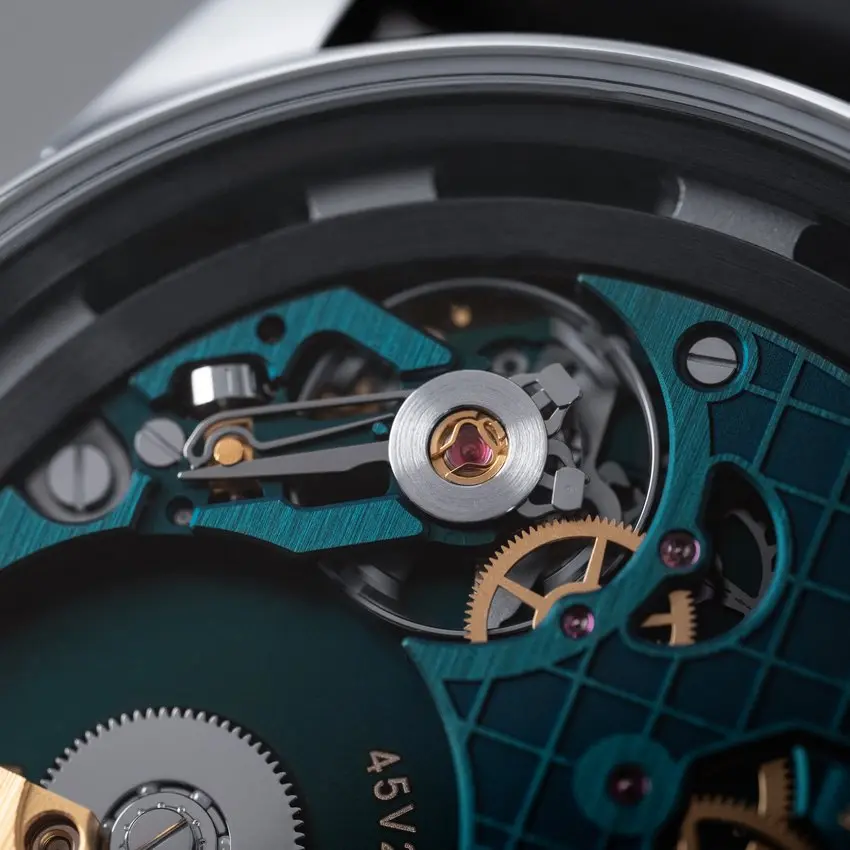
Your Revolution 3 MicroReg has arrived. This page helps you set it up, follow how it runs on your wrist and fine-tune its rate with the HORAGE app and adjustment device.
Come back to the questions and answers whenever something comes up. And if you get stuck, we're one email away.






Open the app, enter the email address from your purchase and confirm with the code you receive to your email.
Manually wind up the watch to add sufficient power to the mainspring to allow for sufficient power. We suggest winding the crown 40 to 50 times.
Set your watch to the correct time.
Wear your watch and get familiar with it. There is no rush.
When you feel ready, select your watch and save your first reading. Then wear it as usual and add readings to the same run.
Give it at least two weeks before your first adjustment. Your watch needs time to show how it really runs.
Connect the adjustment device and follow the app.
Start a fresh run after each adjustment to see what changed.
Short answers to the questions we hear most, grouped by step.
What is MicroReg?
MicroReg lets you fine-tune the rate of a compatible mechanical watch without opening its case. The watch stays fully mechanical. The app and the adjustment device help you set its timekeeping to the way you wear it.
Can I regulate my other HORAGE watches with the app?
Only watches equipped with MicroReg can be regulated. Other HORAGE watches listed in the app can be tracked.
Which email address should I use to sign in?
Use the email address from your watch purchase, then enter the verification code we send to it. If your watch does not appear, write to us with your order details and the serial number of your watch.
Can I use MicroReg without signing in?
Yes. Choose “Try MicroReg without signing in” and enter your watch’s serial number. On the Revolution 3, the serial number is located beneath the rotor.
How do I check whether my watch runs fast or slow?
Select your watch in the app and start tracking. Compare the time on your watch with the reference time in the app, following the capture instructions. Save your first reading as a new run, then add later readings to the same run while you wear the watch as usual.
Does my watch need to stay connected while tracking?
No. Tracking works with the readings you capture in the app over time. You only connect the adjustment device when you are ready to change the rate.
How long should I track before adjusting?
At least two weeks before your first adjustment. You can add a reading every day, and the longer the period, the more reliable the picture of how your watch runs in everyday life. Never adjust based on readings taken minutes apart.
Why does the app show a very large daily deviation?
If two readings are close together, a tiny difference in capture timing turns into a big calculated daily rate. Keep tracking over a longer period, and check that the watch has not stopped or been reset during the run. If a large deviation stays, write to us before you adjust.
When should I start a new run?
Whenever the watch stops or you change the time it shows. After an adjustment, follow the app to start a fresh run so you can see the result. Never mix readings from before and after setting the hands.
How do I connect the adjustment device?
Start the adjustment in the app, then connect the device to your smartphone. Give it about ten seconds to start. When the app asks, place the watch on the device with the crown on the right, and wait until the app confirms that it has detected the watch.
Does regulation also set the correct time?
No. Regulation changes how fast or slow the movement runs. Setting the hands is a separate step. If you want to match the hands to the reference time, do it after the adjustment, then start a new run.
What if the device does not recognise my watch?
Make sure the device has finished starting and the watch sits correctly, crown on the right. A watch that is not seated properly can trigger a “watch not supported” message. Reposition it gently and try again. If the message stays, write to us with a screenshot and the details of your watch and phone.
How do I update the device firmware?
When you connect the device during an adjustment, the app checks its firmware. If an update is available, the app shows you the details and guides you through it.
If something doesn't work as expected, or a reading looks wrong, write to us before you adjust. It is easier to help early than to undo a guess later.
Never send us your sign-in code.
Revolution 3 MicroReg
User Manual


